
Regularly updating your password helps keep your account protected and your website secure.
Steps to Change Your Password #
- Log in to your WordPress dashboard.
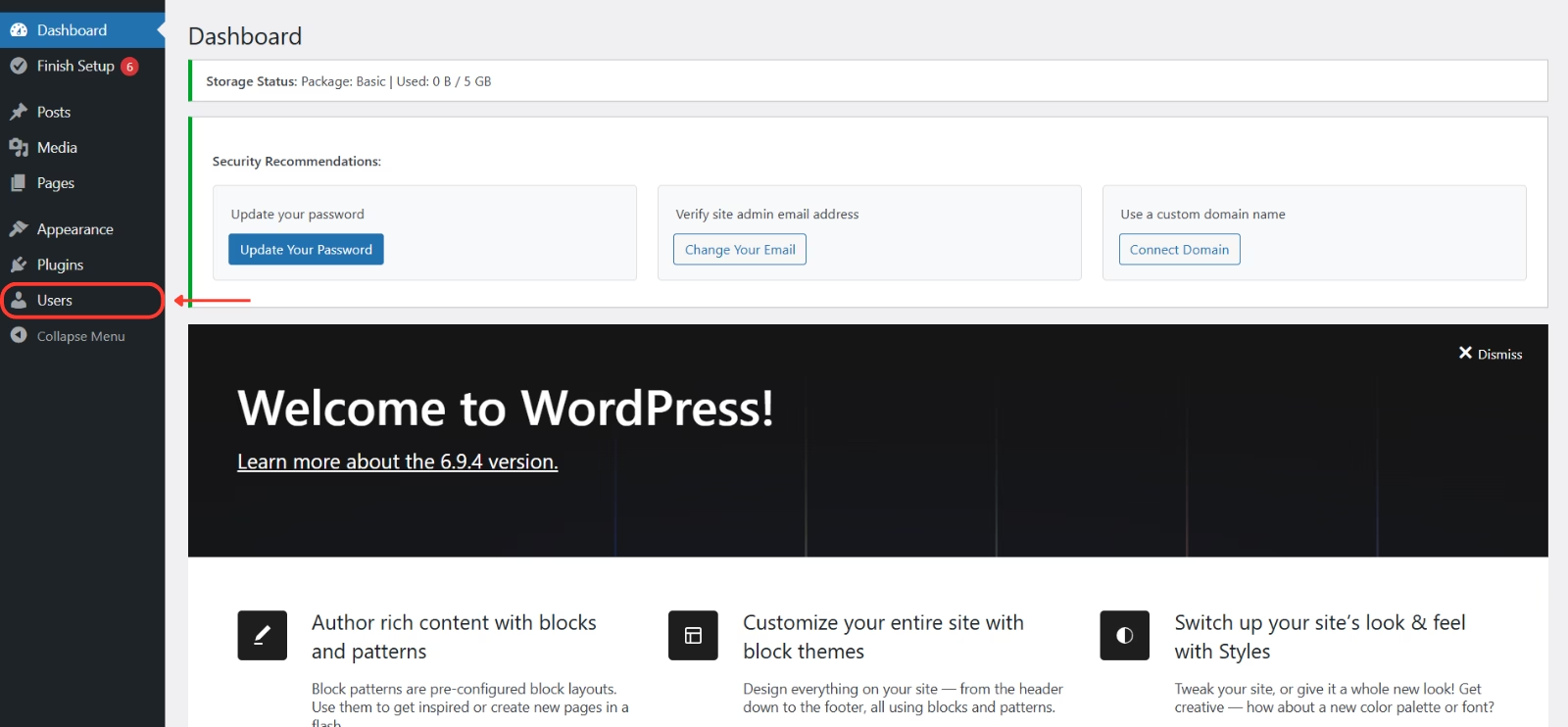
- Go to Users from the left-hand menu.
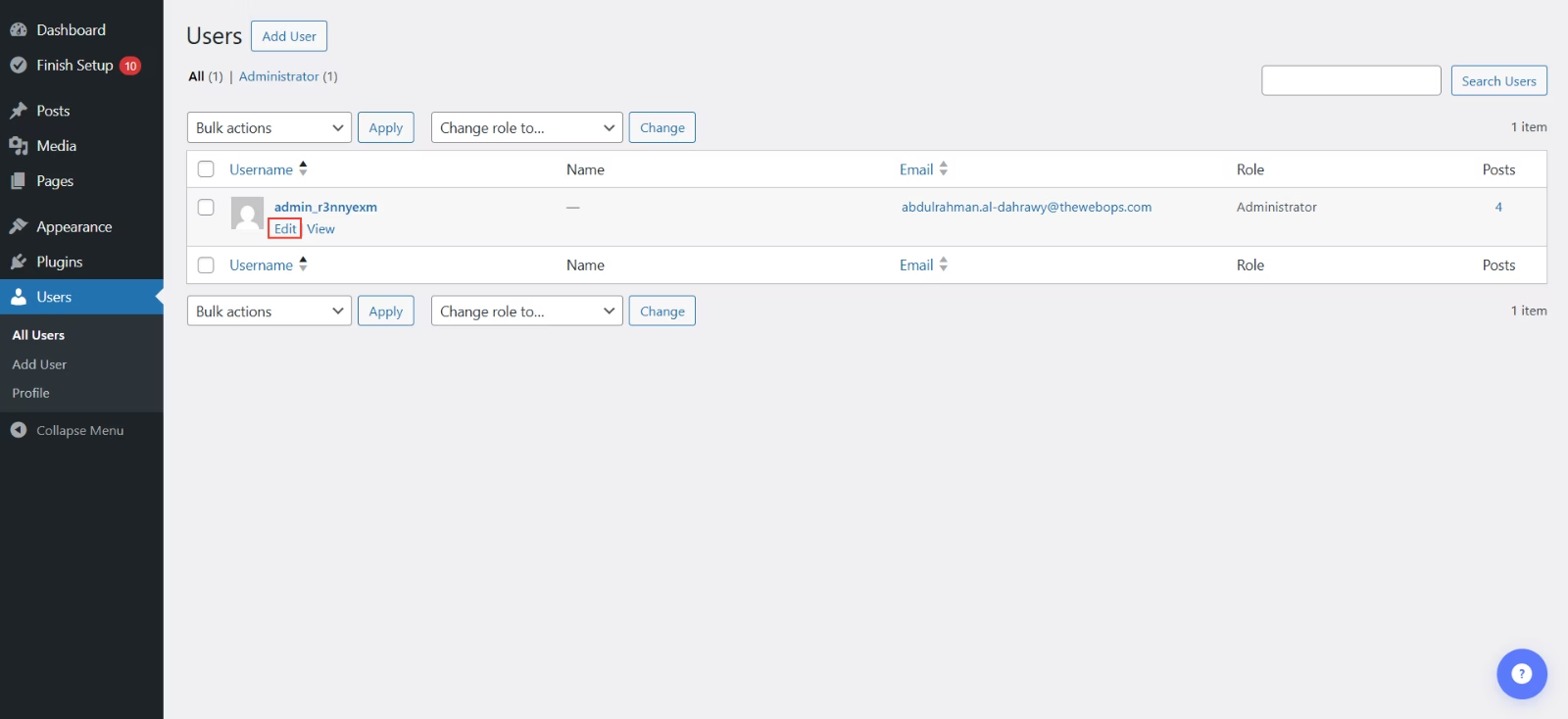
- Click Edit under your user account.
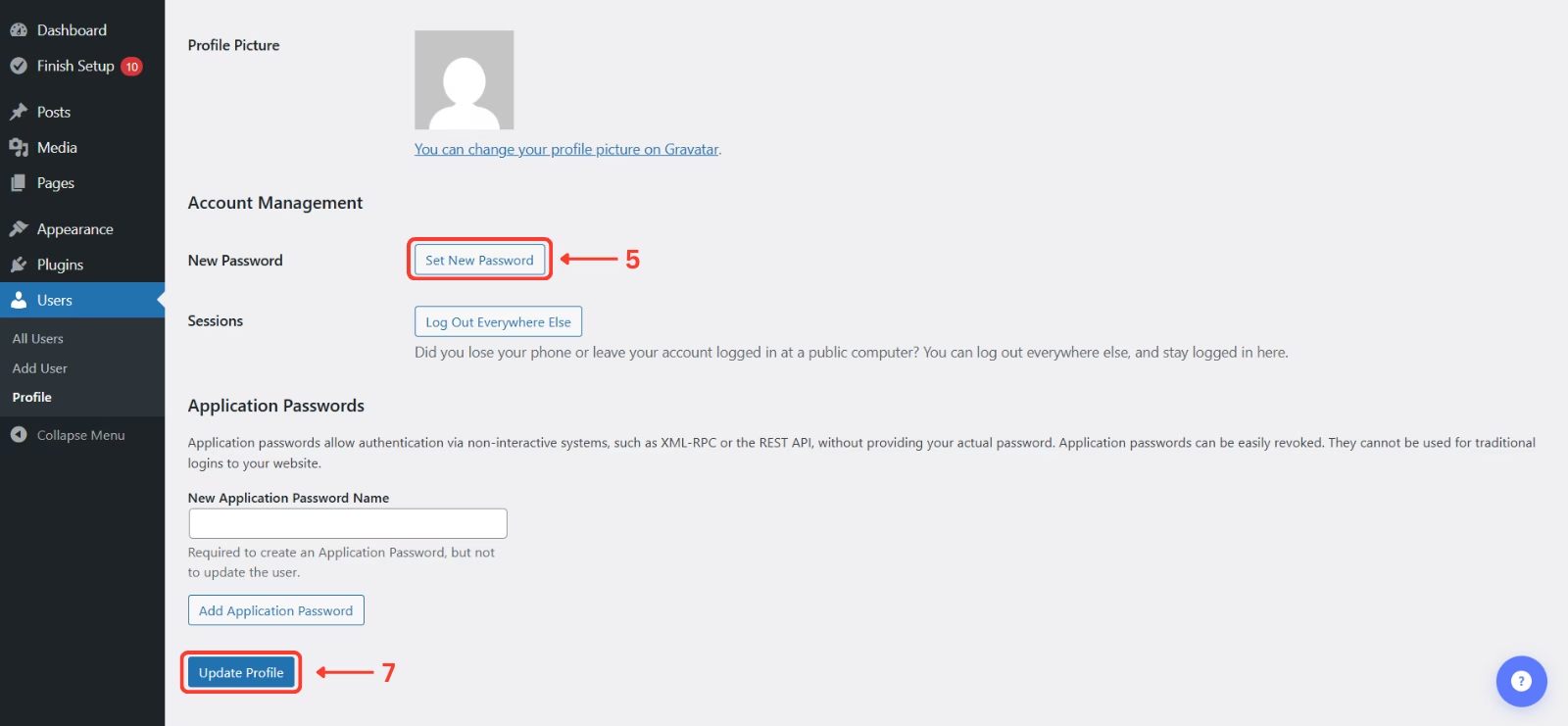
- Scroll to Account Management.
- Click Set New Password.
- Use the suggested password or enter your own.
- Click Update Profile.
Password Best Practices #
- Use a mix of letters, numbers, and symbols.
- Avoid using personal information.
- Change your password every few months.