
Keeping your email address up to date is important for receiving notifications, password resets, and system alerts.
Steps to Change Your Email Address #
- Log in to your WordPress dashboard.
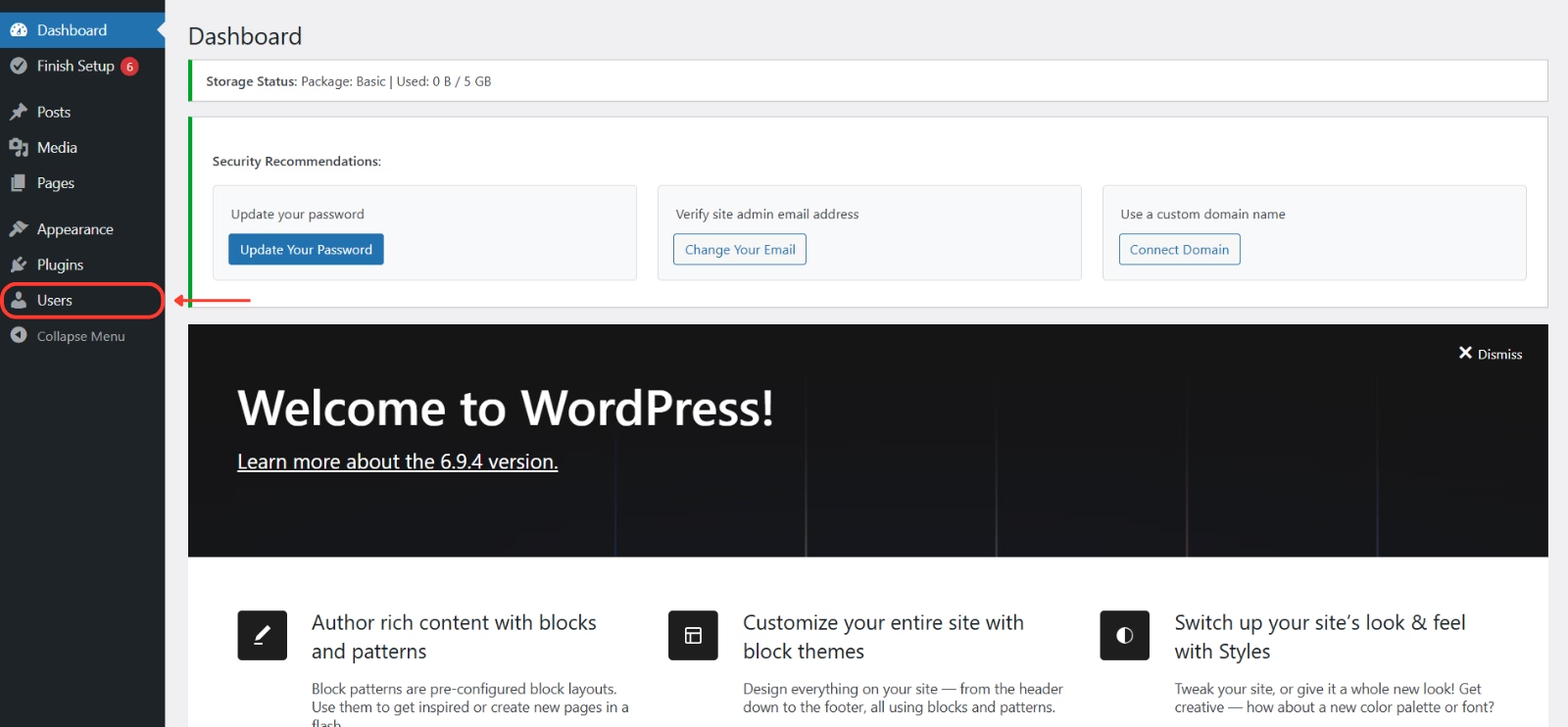
- From the left-hand menu, click Users.
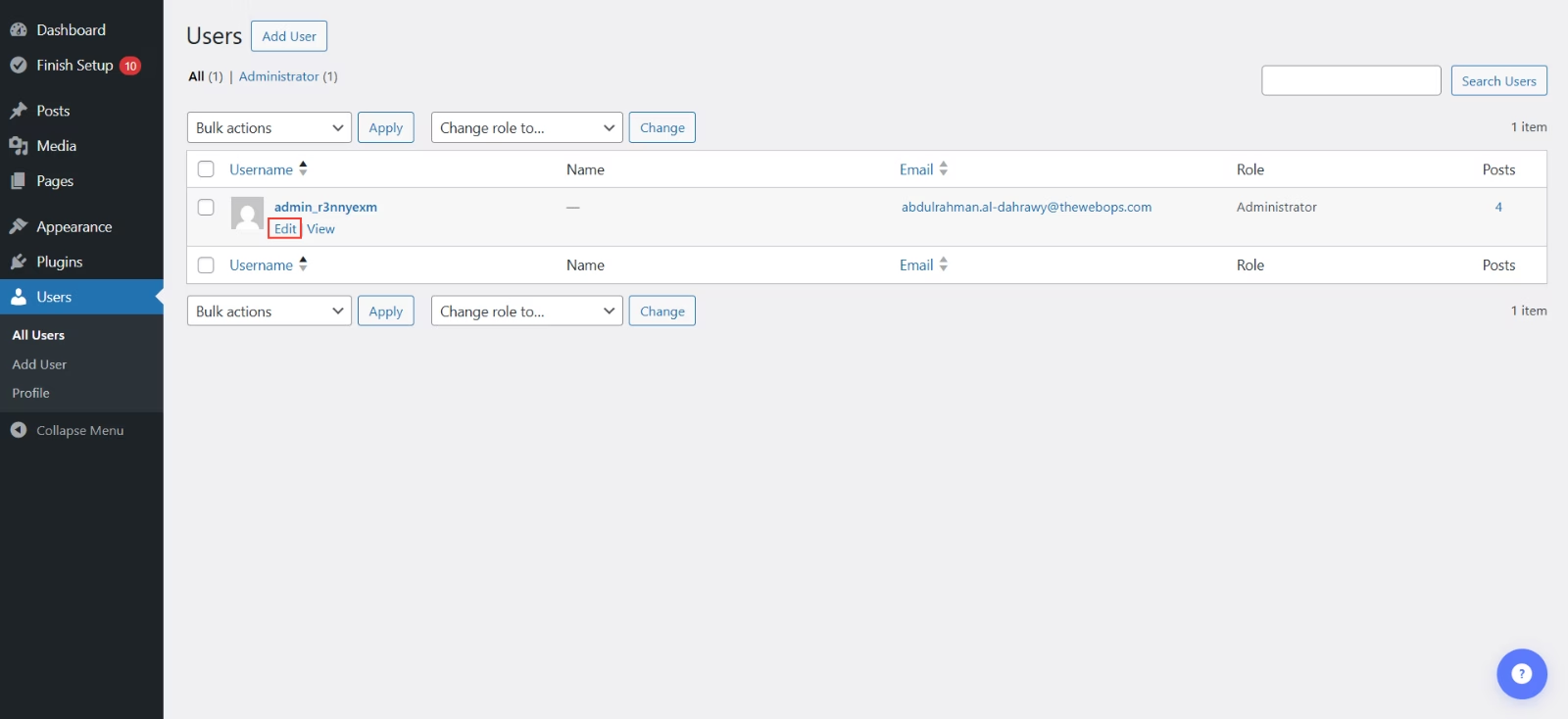
- Find your user account and click Edit.
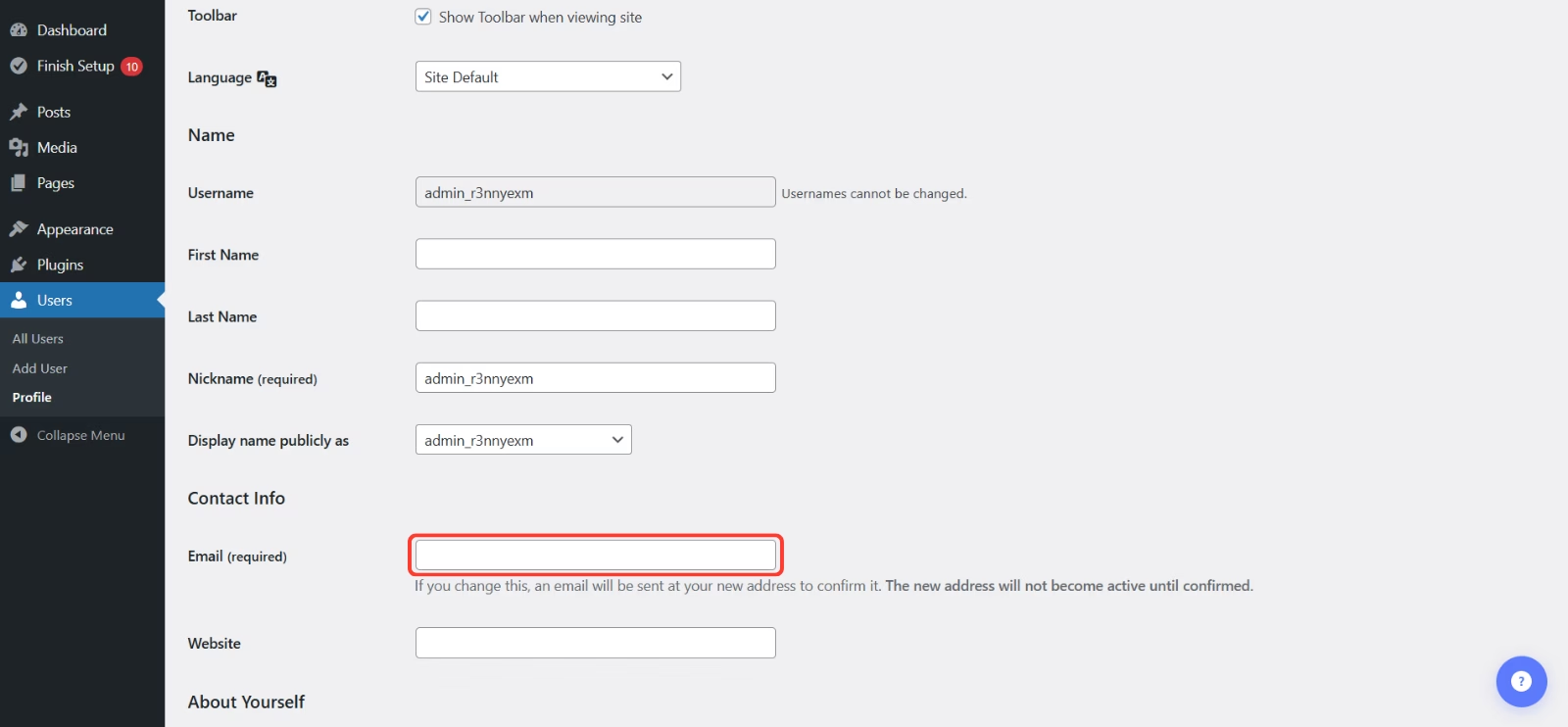
- Scroll to the Contact Info section.
- Update the Email Address field with your new email.
- Click Update Profile to save your changes.
Helpful Tips #
- Double-check your email for typos before saving.
- Make sure you have access to the new email inbox, as it will be used for future communications.