
What Does “I Have a Template” Mean? #
The I Have a Template option allows you to start with a clean WordPress installation and install your own custom WordPress theme.
In many marketplaces, themes are often called templates, but in WordPress they are installed as themes.
This option is ideal if:
- You purchased a premium theme from ThemeForest
- You want full design control
- You prefer importing a pre-built demo from a third-party theme
Before You Start #
Make sure you:
- Have an active WebOps account
- Purchased and downloaded a WordPress theme from ThemeForest
- Have access to the theme ZIP file (do not unzip it)
If you haven’t downloaded your theme yet, see:
How to Download a WordPress Theme from ThemeForest
ThemeForest is part of the Envato marketplace, where users can buy premium WordPress themes.
Step 1: Sign In to Your Dashboard #
Go to app.thewebops.com
Click Sign In
Enter your email and password.
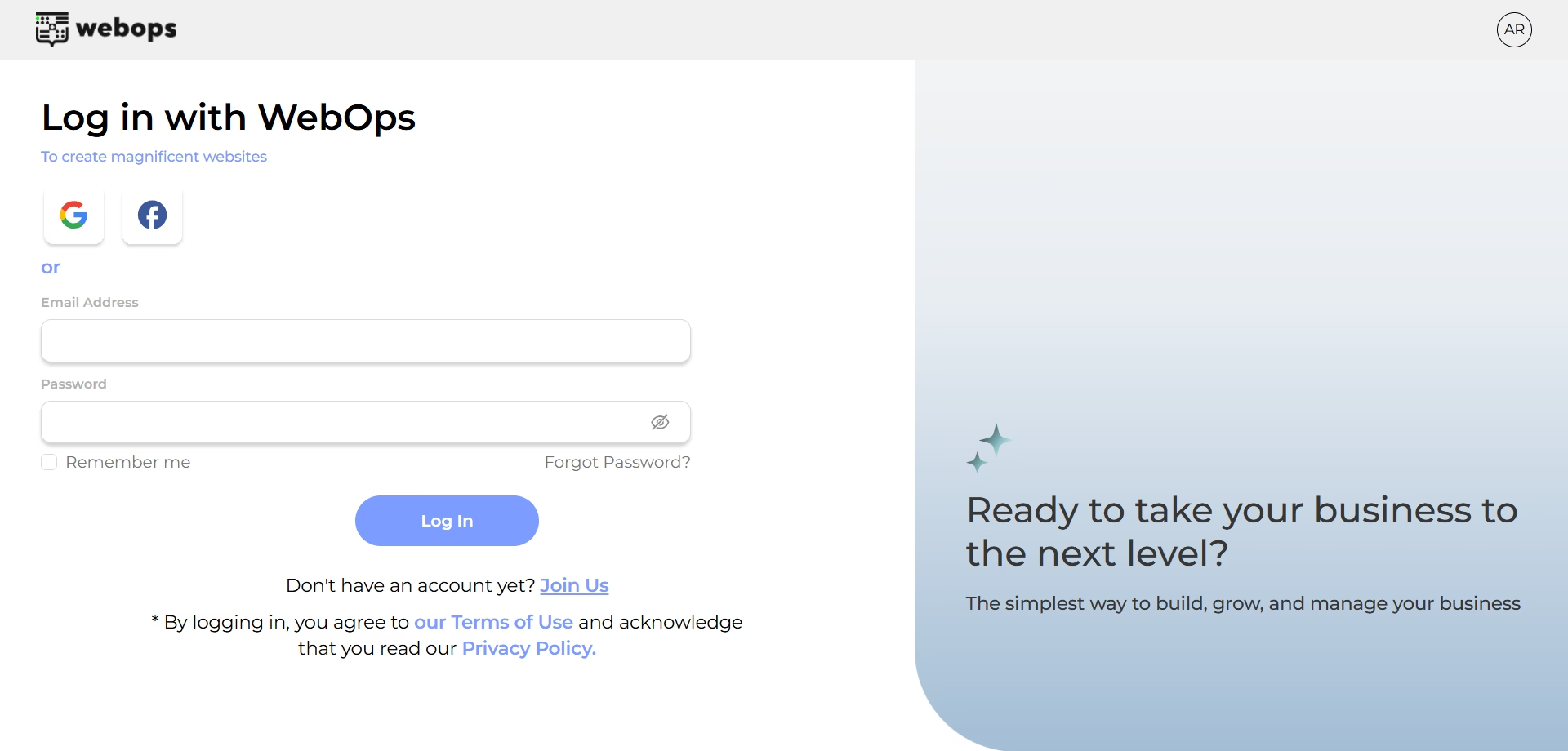
Once authenticated, you will land on your main Dashboard.
Step 2: Create a New Website #
From your Dashboard:
Click Create New Site
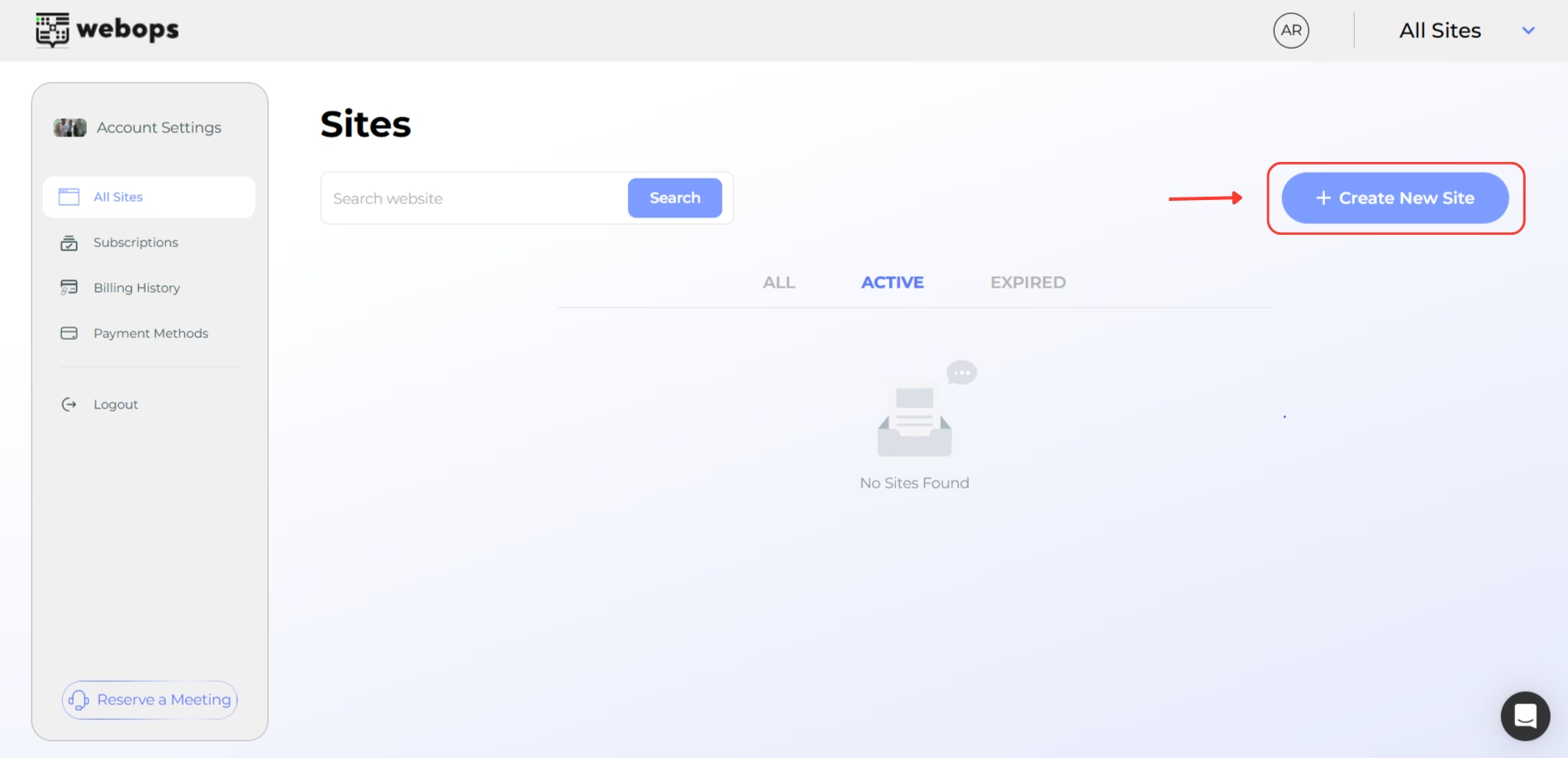
Select whether you’d like to start with:
- Free Trial
- Paid Plan
Click Continue
Your website will now begin provisioning.
Step 3: Start Building #
Once your site is ready:
-
- Click Start Building
- Select Build With Templates
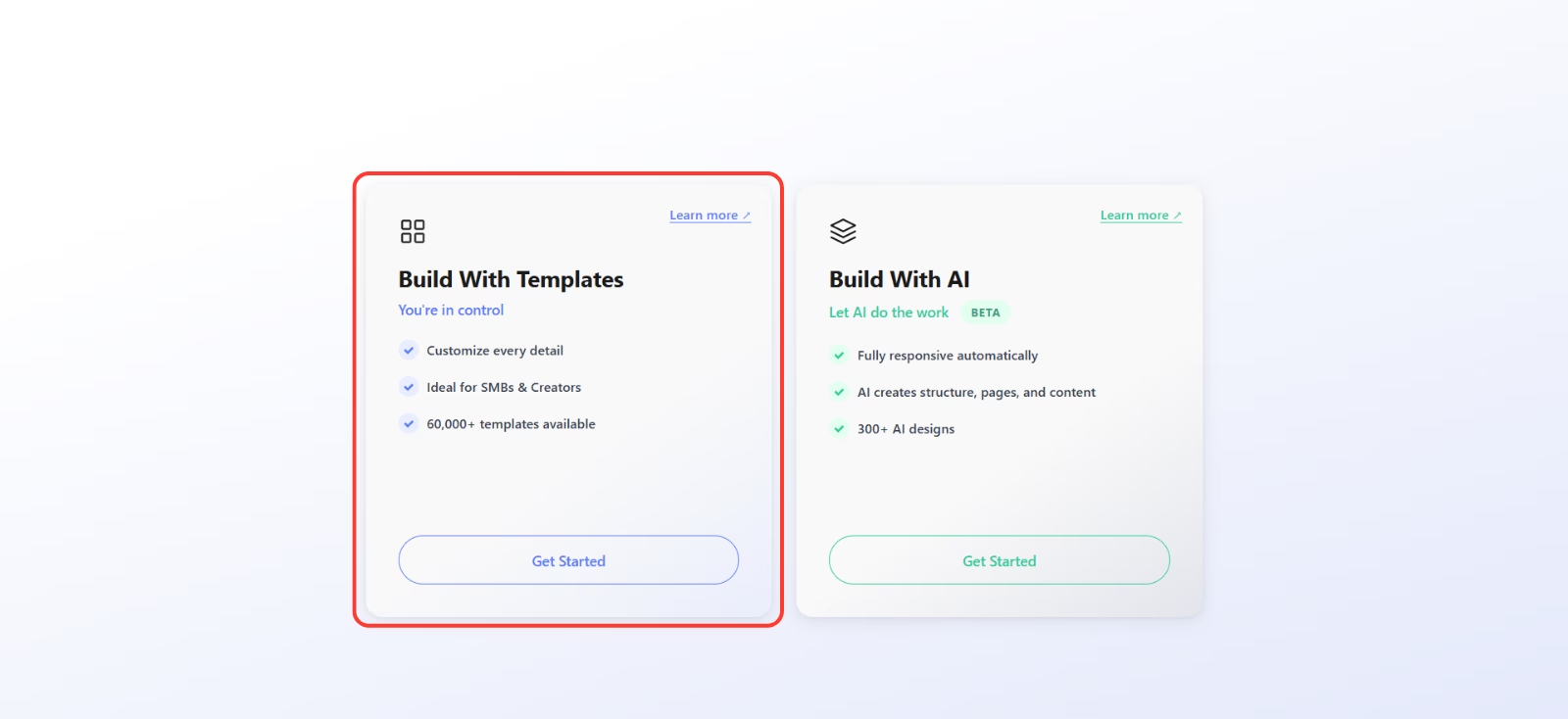
-
- Then choose I Have a Template
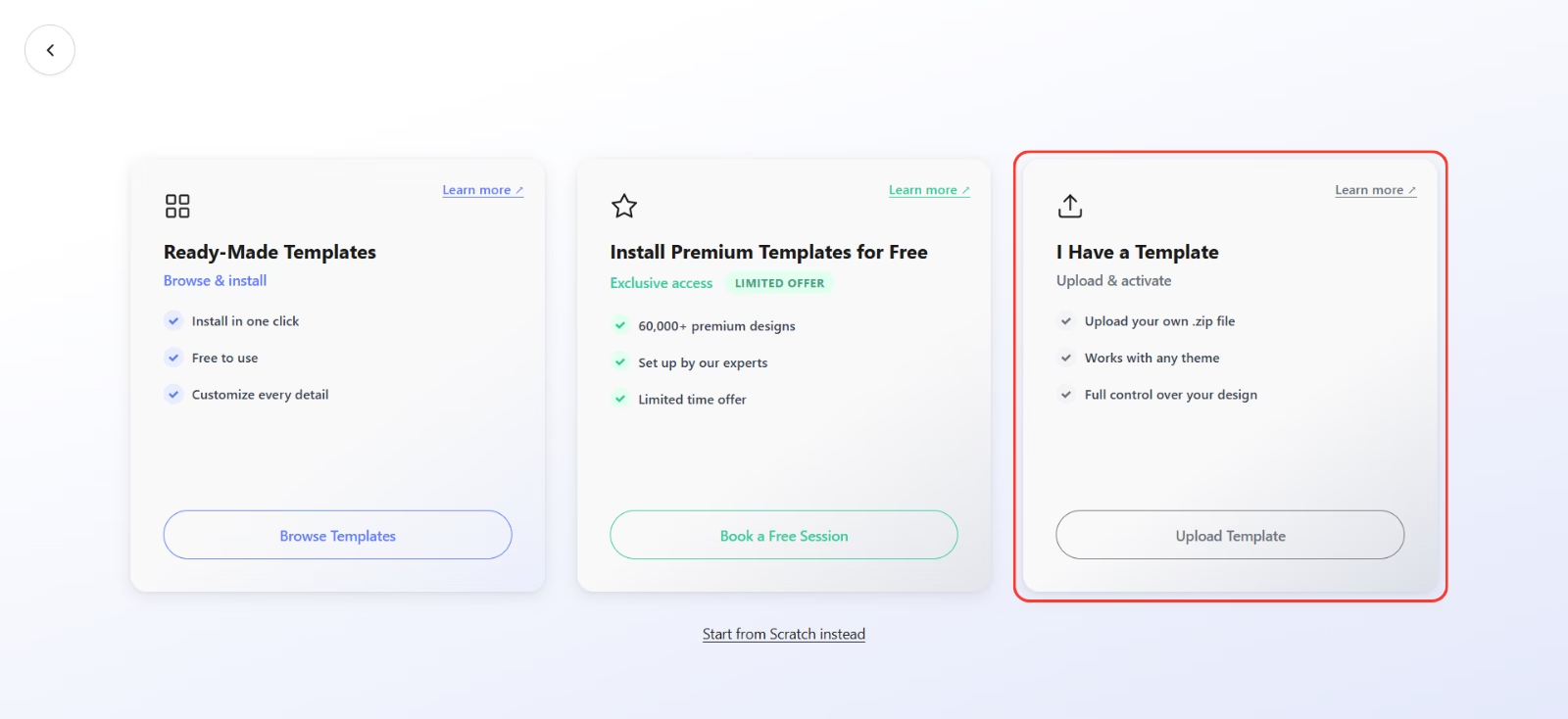
This creates a fresh WordPress installation where you can upload your own theme.
Step 4: Install Your WordPress Theme #
Now you will upload the theme you purchased.
- Go to your WordPress Dashboard
- Navigate to Appearance → Themes
- Click Add New
- Click Upload Theme
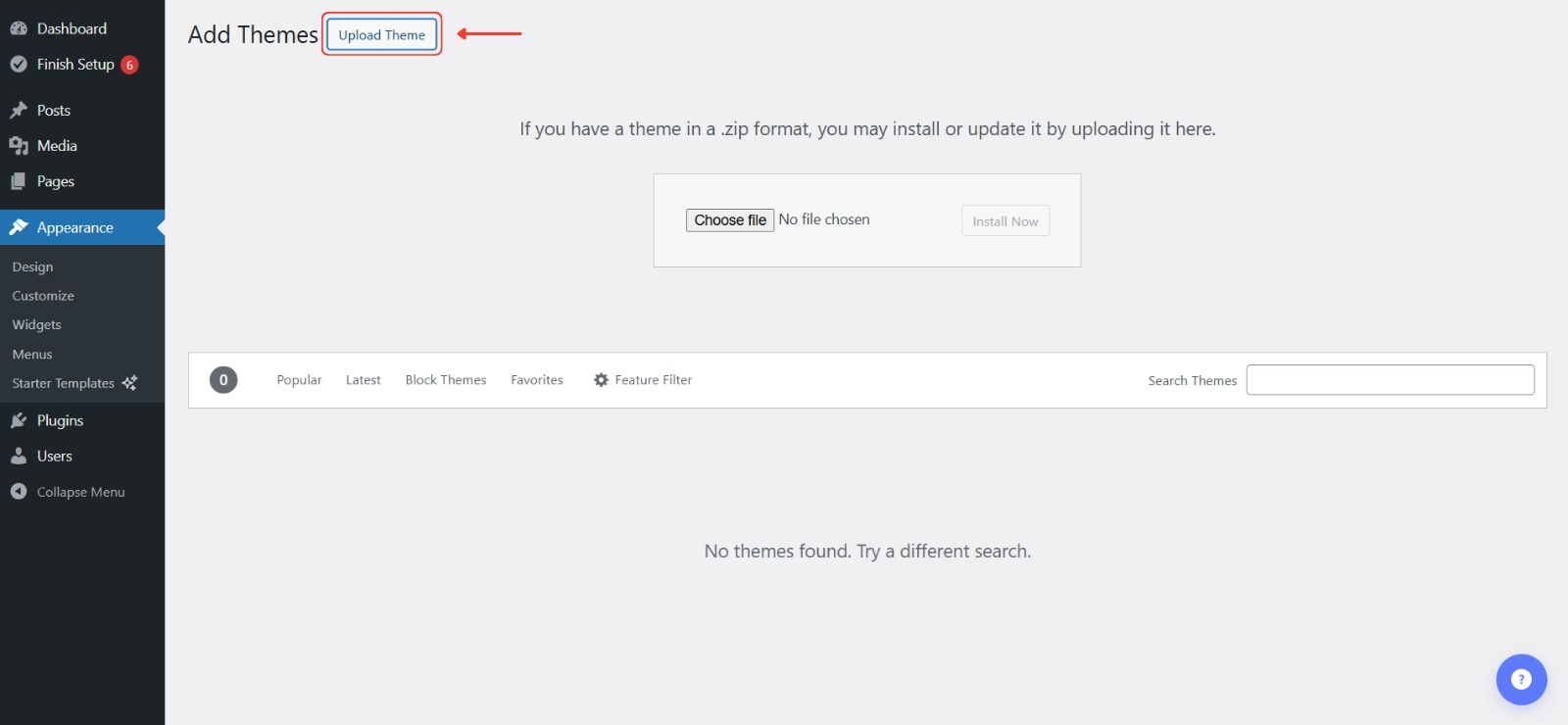
- Upload the theme ZIP file you downloaded from ThemeForest.
- Click Install
- Click Activate
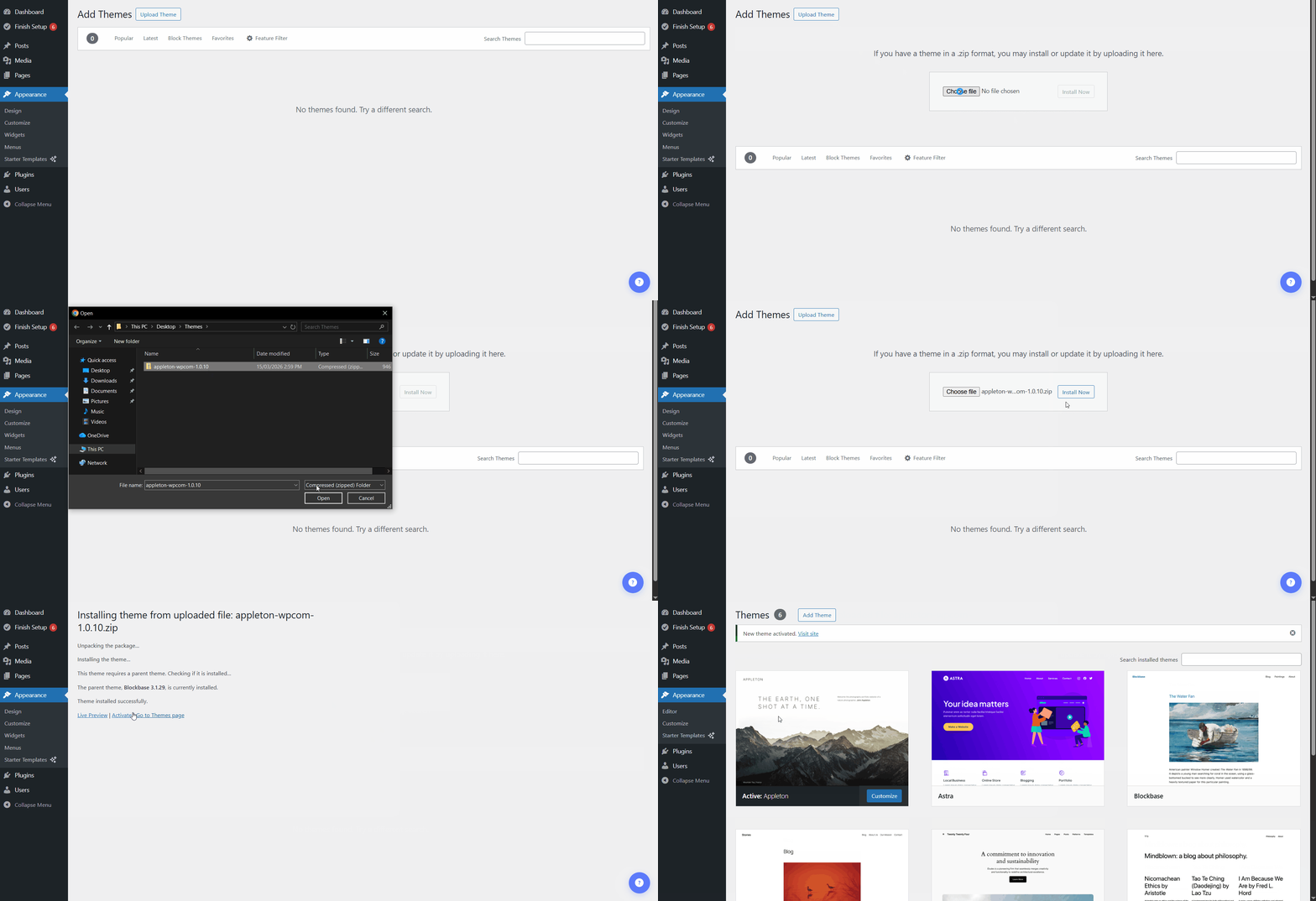
Your WordPress theme is now installed.
Step 5: Import the Theme Demo (If Available) #
Most premium ThemeForest themes include demo content.
To import the demo:
- Look for the theme’s setup wizard or demo importer
- Follow the theme’s import instructions
- Choose a demo layout
- Start the import process
This will install:
- Page layouts
- Pages
- Menus
- Images (sometimes placeholders)
- Theme settings
Import time depends on the theme size.
Step 6: Final Setup #
After importing the demo, you may need to complete a few final setup steps.
Common tasks include:
- Set your homepage under Settings → Reading
- Assign menus under Appearance → Menus
- Configure plugins required by the theme
- Replace demo content with your own text, images, and branding
Once these steps are completed, your website will be ready for customization and publishing.
Important Notes About ThemeForest & Envato #
ThemeForest is a marketplace owned by Envato.
Each theme purchase includes:
- A license for one website
- Theme updates from the theme author
- Support provided by the theme developer (not WebOps)
Make sure you keep your theme files and license information safe.
When Should You Use “I Have a Template”? #
Use this option if:
- You already purchased a premium WordPress theme
- You want full control over design and layout
- You prefer installing your own theme instead of generating a site with AI